

Pick 16:9 for YouTube, 9:16 for Reels, TikTok and Shorts, 4:5 for Instagram and LinkedIn, or a square. The layout rearranges itself.
Why it helps: record once and post everywhere, with no re-recording or re-editing for each app.
ScreenGo records your screen, camera and voice, then does the polish for you: zooms, cursor, captions and clean sound.

For Apple silicon Macs with macOS 26 or later. No account. Nothing leaves your Mac.
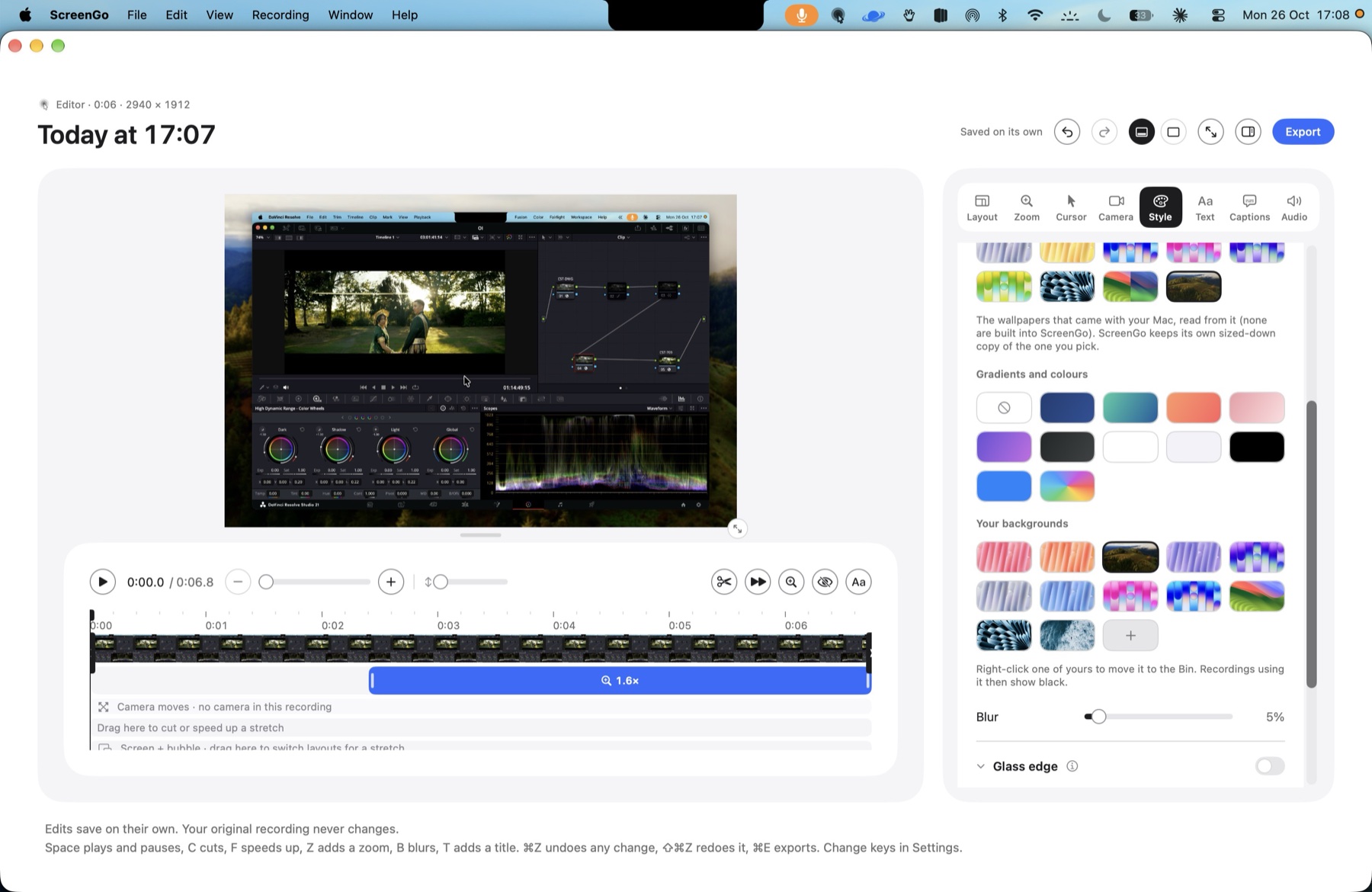
Raw screen recordings look flat. ScreenGo adds the zooms, the smooth cursor, the camera bubble and the clean voice for you.
How it works
Three steps from your first take to a finished video.
Step 1
Press the shortcut or click Record in the menu bar. Screen, camera, voice and the computer's sound each land on their own track.
Step 2
The zooms, the cursor and the camera bubble are already placed. Adjust a slider or two, add captions, blur anything private.
Step 3
Export MP4 up to 4K or a GIF, or copy the video straight to the clipboard and paste it into a message.
Edit
ScreenGo places the zooms, smooths the cursor and cleans up your voice. Change anything with a slider, or leave it as it is.
A real ScreenGo export, untouched
Every change can be undone. Your original recording is never touched.
Drawn from the recorded mouse path, not the pixels, with smoothing and click effects, crisp at any zoom.
Tone presets, a level meter that tells you what to change, and Apple's voice isolation for hum and hiss.
Automatic zooms track your clicks and typing, with easing you can adjust. Nearby zooms glide from one to the next.
Whenever the mouse heads its way, the camera bubble moves aside, or shrinks and fades.
Frame the recording on your Mac wallpapers or your own image, in any shape from 16:9 to 9:16.
Built-in colour grades, or import your own .cube LUT. The camera file itself is never changed.
Captions from your speech, cuts and speed-ups, blur boxes for private details, titles, labels and arrows.
One renderer draws the preview and the export, so there are no surprises after a long export.
Record
Or press ⇧⌘R in any app.
Have a go. It works just like the panel in your menu bar.
Built in
A camera for every call, and a recorder that keeps everything on your Mac.
Webcam for other apps
Switch it on and ScreenGo appears as a camera in Zoom, Meet, FaceTime and Chrome, showing exactly what its camera preview shows, look included.
Private by design
No account, no sign-in, no analytics, and no network code at all. Recordings stay in your Movies folder. Captions and the teleprompter use Apple's on-device speech recognition. Read the privacy policy
Who it's for
From a two-minute demo to a full course, every recording gets the same finish.
Walk through a feature once. The zooms follow every click, so nobody loses the cursor.
Pricing
Every feature is included. Pay once and it’s yours.
Mac App Store
£34.99
One purchase for your Macs, with free updates to version 1.
Get ScreenGoNo subscription. No account. Nothing leaves your Mac.
FAQs
No. One purchase on the Mac App Store, no sign-in, nothing to renew.
No. ScreenGo has no network code. Recordings and speech stay on your Mac.
Apple silicon (M1 or later) with macOS 26 or later.
No. The built-in camera, any webcam or an iPhone works. The Sony link is a bonus for people who have one.
MP4 up to 4K, and animated GIF.
Yes. Switch on "Webcam for other apps" and pick ScreenGo Camera in any video app.
Can't find the answer? The support page has more, and a way to get in touch.